
Self-storage software integrations: Stripe, Twilio and SendGrid
Storage Facility Creator is built on three services you already know: Stripe for card payments and autopay, Twilio for tenant texting and SendGrid for email. All three come with the $75 per facility subscription at no extra charge from us; Stripe charges its own card processing fee on each card payment and pays the rest out to you. This page says exactly what each one does in the app, what is available on request, and what is not integrated yet.
Stripe
IncludedCard payments, autopay, refunds and disputes
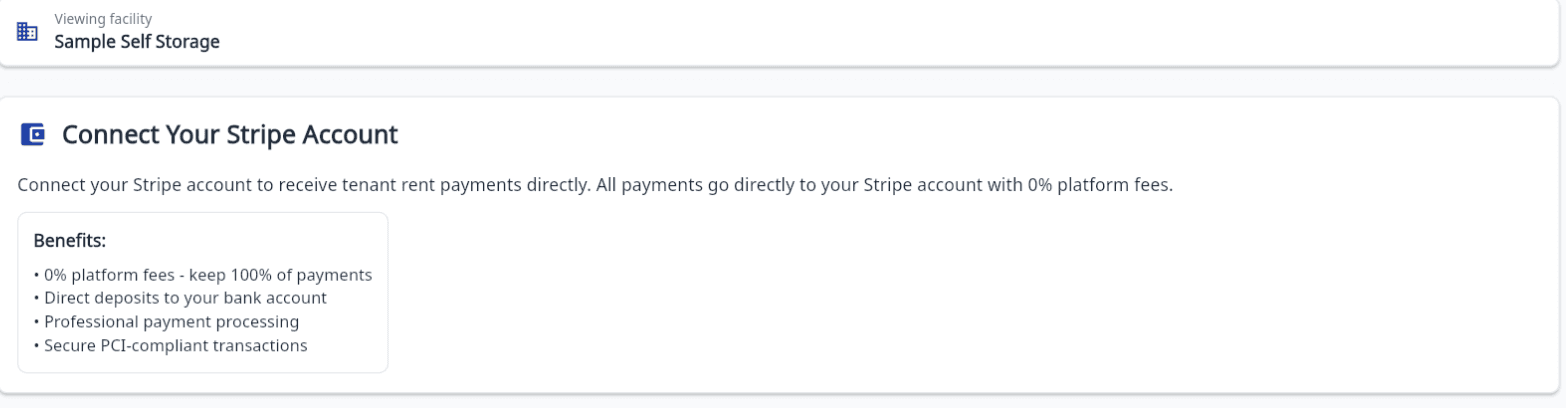
Each facility connects its own Stripe account, so tenant card payments pay out straight to that facility. Card numbers never touch your software.
- Stripe Connect onboarding per facility takes a few minutes and is done by the facility owner.
- Online move-ins pay the prorated first month and fees through Stripe Checkout into your own account, when the online rentals add-on is on.
- Save a card on file for any tenant, charge it for a phone or counter payment, or take a new card in the app with no separate terminal.
- Pay-by-link for any tenant: copy the secure link into a text or email and they pay by card without logging in.
- Autopay charges each tenant's balance once a month; most declined cards are retried a few days later, and autopay switches off for a dead or expired card.
- Refund a card payment to the tenant's card straight from their ledger, including the prorated refund at move-out.
- Chargebacks show on the tenant ledger automatically, stay out of autopay and late fees, and can be collected once the dispute is lost; a fraud dispute pauses autopay on that card.
- Your own SFC subscription is billed through Stripe too, managed from inside the app.
Good to know: Cards only. Cash and check payments are recorded by hand with a printed or emailed receipt, and work before Stripe is connected.
Twilio
IncludedTenant texting
Texts go out on a verified toll-free number shared across SFC facilities. There is no carrier registration on your side.
- Text a tenant from their record or the Messaging hub, starting from a ready-made template.
- Two-way texting: replies come back as conversations you answer from the app.
- STOP, START and HELP replies are handled for you, and the app will not text a tenant who has not consented or who has opted out.
- Consent is recorded when you add a tenant, in bulk, and on every online rental; opt-outs are visible and restorable with an audit trail.
- Rent reminder texts go out during your business hours to tenants who opted in, when you set the reminder channel to text.
- Past-due and payment reminder texts to one tenant or a selected group, then see which sends failed and why.
- A published SMS policy covers consent, opt-out and message frequency for your tenants.
Good to know: Texting is included within a monthly fair-use allowance. Dedicated or local numbers are not offered today.
SendGrid
IncludedEmail delivery
Every email the app sends goes out through SendGrid. Emails to a tenant are logged against that tenant's record, so the whole team can see what was sent.
- Email any tenant from the app, starting from a ready-made template, or send one email to many tenants and see which sends failed and why.
- Ready-made past-due and payment reminder emails to one tenant or a selected group.
- Invoices, statements, receipts, signed-copy confirmations and move-in and move-out confirmations are emailed from the app.
- Tenants who sign a lease at your counter are emailed a link to their signed copy.
- Tenant portal invites to one tenant or a selection, and staff invites with the role you chose.
- Unsubscribes are visible in Settings so you know who can no longer be emailed.
Good to know: Each paid facility includes up to 5,000 emails a month, and 500 a month during the trial. Open and click tracking is not provided.
QuickBooks Online: available on request, ask us.
Not integrated today
We would rather you know before you sign up than after. These are the connections operators ask about that SFC does not have, and what the app does instead.
Gate hardware, keypads and kiosks
SFC keeps a gate code on file for every tenant, limited to the days, hours or dates you choose, generated at move-in and switched off at move-out. You enter the codes in your own gate controller; nothing talks to the hardware.
ACH and bank-draft payments
Every Stripe flow is card only. Cash and check payments are recorded by hand in a few seconds, with a receipt.
Square and other card processors
Stripe is the only processor. There is no Square connection and no way to bring another processor.
Accounting systems other than QuickBooks Online
Export the payments report to CSV and hand it to your accountant or import it where you keep your books.
API keys and webhooks
Not available to customers today. If you need data out, the payments report downloads as a CSV; tell us what you would connect and why.
Phone calls from the app
SFC texts and emails. Calls are logged by hand in the tenant contact log, alongside visits, letters and the messages the app sends for you.
If one of these is the thing your operation depends on, say so in your demo request and we will tell you plainly whether SFC is a fit. The Compare Options page puts the same gaps side by side.
Integration questions operators ask
- Do I need a Stripe account to start?
- No. Sign up and get approved, and your 30-day trial starts with no card required. Connect Stripe when you are ready to take card payments; recording cash and check payments works without it.
- Does the money go through SFC?
- No. Each facility connects its own Stripe account and tenant card payments pay out straight to that account. SFC never holds your rent.
- Do I have to register my own texting number?
- No. Texts go out on a verified toll-free number shared across SFC facilities, with STOP, START and HELP handled for you. Dedicated or local numbers are not offered today, and texting is included within a monthly fair-use allowance.
- Will it talk to my gate?
- Not yet. SFC manages per-tenant gate codes and schedules and switches them off at move-out, but it does not connect to gate hardware. You keep entering codes in your controller.
- Do you integrate with QuickBooks?
- QuickBooks Online is available on request: email support@storagefacilitycreator.com and ask us. It is not switched on by default. The monthly payments report exports to CSV for your accountant.
- Who do I ask about an integration?
- Email support@storagefacilitycreator.com or use Report a Bug inside the app. Support is by email; there is no phone support line.
More answers on the FAQ page.
Connect Stripe and take your first card payment on the trial
Sign up yourself, get approved, and connect your own Stripe account when you are ready. Texting and email are included.
No onboarding fee. $75 per facility, per month. Built for self-storage operators.